Email Bombing: How Spam Floods Set Up Fake IT Support Calls

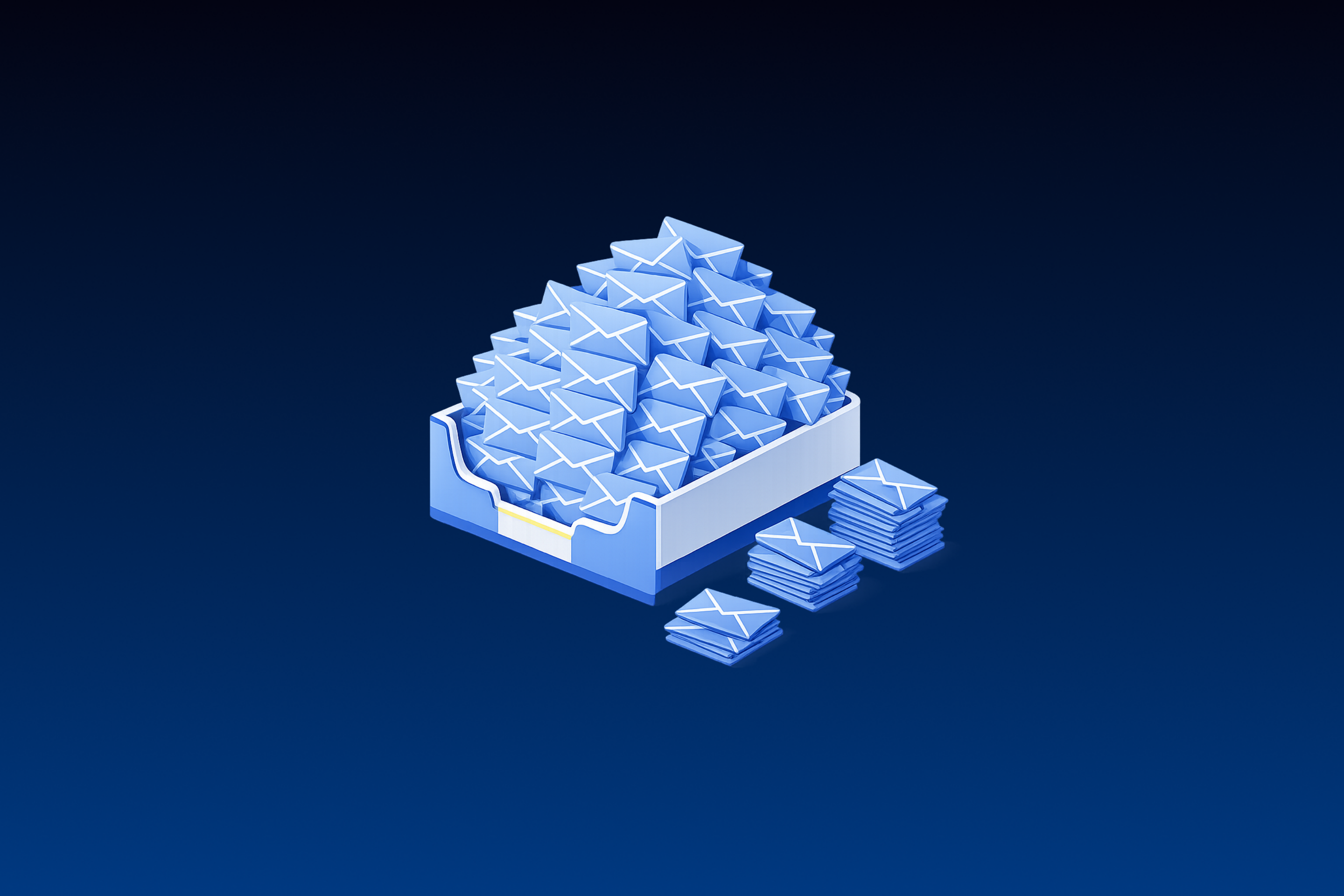

Email bombing is an attack that floods one inbox with thousands of messages in a short window, often by signing the victim up for legitimate newsletters and services. In a number of documented intrusions, the flood sets up a phone call or Microsoft Teams chat from someone posing as IT support, who offers to fix the problem through a remote session.
Treat a flood as a possible intrusion pretext that needs investigation beyond the spam ticket. The flood alone doesn't tell you whether the user granted remote access, so check follow-up contact alongside endpoint and identity events.
TL;DR:
- The follow-up IT support call or Teams chat aims to get the user to open a Quick Assist or RMM session.
- Much of the flood comes from legitimate senders whose mail passes authentication checks. Per-recipient message volume is the more useful signal.
- A flood alert should trigger immediate checks on that user's external Teams contact, remote tool launches, and identity changes.
- A call over the public phone network won't appear in Teams audit data, so a user's report of a call from IT can be the main record of the next step.
What Email Bombing Looks Like in 2026
A common form of email bombing is subscription bombing: the attacker registers the victim's address with thousands of third-party services, and those services send the mail. Microsoft classes mail bombing as a denial-of-service attack that uses legitimate newsletters and sign-ups and often precedes malware, ransomware, or data exfiltration. MITRE lists it as T1667, a technique that may precede voice phishing.
Older mail bombs sent the messages directly. Routing them through third-party services makes subscription bombs cheap: research published in CACM found that attackers need only a newsletter provider list and an automation script, and one public bombing service charges about $1 per 1,000 emails. Leaked chats show Black Basta built its own service, and ShinyHunters operators buy email bombing alongside call flooding and SMS spamming.
The same study covers 24 bombing waves against midsize and large European organizations in late 2024, so treat its figures as one sample. A typical wave ran at about 1,500 emails an hour, against a normal rate under 10 for those mailboxes, and the largest delivered nearly 4,900 emails in under two hours. Most victims were director-level or above.
Why Gateways Let It Through
Reputation filtering struggles because the mail comes from reputable senders. In the CACM data, 91.7% of flood messages passed SPF and 74.3% passed DKIM, so authentication checks do little to stop them. Each subject and body differs too, and Proofpoint points out that to a legacy email gateway the traffic looks like a user who signed up for a lot of newsletters. MITRE's mitigation guidance calls for extra filtering when floods come from legitimate sources.
Who Uses Email Bombing Now
Black Basta affiliates and Storm-1811, a group Microsoft tracks, popularized the technique in 2024, and CISA added email bombing to its Black Basta advisory that November. Newer operators have picked it up. A group Google tracks as UNC6692 ran a flood-then-help-desk campaign starting in late December 2025, and it now works as an access broker for the Payouts King ransomware operation.
Once a user accepts the remote session, attackers move quickly. eSentire's September 2026 advisory describes floods preceding contact in a number of cases, and Quick Assist was the remote tool in nearly 60% of the cases where one was identified. In two cases, malware followed within an hour of the session. ReliaQuest has seen chat-to-script times as short as 12 minutes.
Why the Flood Makes the Help Desk Call Work
The pretext works because it matches a problem the victim is dealing with right then. Sophos MDR tracked two clusters, STAC5143 and STAC5777, that both exploited the default Teams setting letting users on external domains start chats. In one STAC5143 case, a user received more than 3,000 spam messages in 45 minutes, then a Teams call from an external account named Help Desk Manager that offered a remote session to fix the flood.
Storm-1811 offered help with the spam after the flood, first by phone and then, from late May 2024, through Teams accounts posing as the help desk. A 3AM ransomware affiliate later told a victim that remote access was needed to stop the junk email and spoofed the phone number of the company's IT department.
Red Canary, now part of Zscaler, calls the follow-up a calculated maneuver that turns the victim's distress into trust. The flood also hides things: a malicious password reset or suspicious sign-in notice can disappear in the noise.
A separate Teams help desk intrusion, documented by Daylight researchers in 2026, used the same external-chat route and ended with the DinDoor backdoor running on a bundled Deno runtime. When the contact comes by phone, operators draw on vishing tactics such as help desk reset abuse and MFA code harvesting.
How to Detect an Email Bombing Flood
Start with per-recipient inbound volume anomalies. Microsoft and Google don't publish a production threshold for them, and you will need to tune your own baseline. Combine volume with sender diversity and the user's normal mail rate, then look for the follow-on Teams or endpoint activity that confirms an intrusion.
Microsoft 365
Defender for Office 365 added a Mail bombing detection technology value in June 2025. Microsoft says the detection tracks message volume across sources and time intervals and weighs sender history and spam signals. It is on by default, also runs in Exchange Online Protection, and sends flood messages to Junk. The value appears in Threat Explorer and under DetectionMethods in Advanced Hunting, and Microsoft's announcement includes this hunt for messages the built-in detection has tagged:
EmailEvents | where Timestamp > ago(1d) | where DetectionMethods contains "Mail bombing" | project Timestamp, NetworkMessageId, SenderFromAddress, Subject, ReportId
A 2024 Microsoft hunting example bins inbound email in EmailEvents per RecipientObjectId by hour and filters on AnomalyScore >= 10, a starting value you'll want to tune. For this attack chain, Microsoft's cross-tenant help desk guidance is more useful. It treats a ChatCreated event as first contact and correlates it with remote tool activity using let _timeFrame = 30m; across let _huntingWindow = 4d;. Microsoft marks both windows for tuning.
Google Workspace
Workspace includes a system-defined Rate limited recipient alert for a high rate of incoming email that may indicate an attack or a misconfiguration. Check that it is active before building anything. For custom rules, activity rules, renamed from reporting rules in September 2025, can use Gmail log events, but confirm that their thresholds fit per-recipient monitoring before relying on them.
Third-Party Gateways and Detection Content
Check Point's Harmony Email & Collaboration, formerly Avanan, is one of the few gateways with a published parameter. It lets admins set an Email Bomb threshold for mail from new senders, with 50 as the documented example. Bitdefender's Extended Email Security defers inbound mail beyond 300 messages per recipient per five minutes, a general rate limit that also slows a flood.
For SIEM content, MITRE's DET0355 describes analytics for abnormal inbound volume to a single mailbox, with tunable thresholds and no default numbers. The public Sigma rule library had no rules tagged T1667 as of October 2026, so expect to write your own.
How to Respond When a Flood Hits
The flood opens a window of unpredictable length. Work through the steps below roughly in order, and leave bulk mailbox cleanup for last. In ReliaQuest's cases the impersonator made contact within minutes of the flood, while the email security firm ZeroBEC saw contact about 36 hours after it.
Reach the User Before the Attacker Does
Contact the user through a known internal channel, warn them that someone posing as IT may reach out, and preserve message samples. ZeroBEC recommends temporarily heightened monitoring of bombed users for external Teams contacts, Quick Assist, and remote-support tools. A user who calls the help desk about inbox flooding may be mid-attack, so route those calls to security.
Watch Teams and the Phone
Hunt for one-on-one external chats from display names such as Help Desk, Help Desk IT, and IT Support, the names Microsoft observed in Storm-1811 activity. Look for external .onmicrosoft.com accounts posing as support, newly created tenants contacting employees, and near-identical messages from one tenant to several employees. Phone contact is harder to see: Rapid7 reports that BlackSuit operators in rare cases call from spoofed numbers to avoid the cloud logging a Teams call would create.
Check the Endpoint for Remote Access
Quick Assist launches with CTRL + Windows + Q. The user enters a code the caller supplies, allows screen sharing, and then separately approves a request for control. A trained user can refuse at any of those steps.
In one Sophos case, cmd.exe running under the user's Explorer session used tar during the Quick Assist session to extract pack.zip into AppData\Local\OneDriveUpdate. In the DinDoor intrusion, conhost.exe --headless was the parent of deno.exe, the files sat under %AppData%\Roaming\DenoJSEnv\, and persistence used an HKCU Run value named Deno_AutoRun. After a QEMU virtual machine intrusion that followed email bombing, Red Canary recommends alerting on virtualization software running on endpoints that don't normally use it.
Check Identity
If anything looks wrong, revoke the user's sessions with Revoke-MgUserSignInSession, remove MFA methods the user doesn't recognize, and review user-consented apps, as Microsoft advises for compromised accounts. Find the first confirmed malicious sign-in and compare it with the user's account of the call, then check self-service password reset activity.
Microsoft assessed with high confidence that Storm-2949 abused SSPR, a technique in which the attacker starts a reset for the user and talks them into approving the MFA prompts, for example by posing as IT. An identity threat detection program watches for the same session and sign-in changes.
Investigate Before Bulk Mailbox Cleanup
Preserve samples and check the flood for buried password reset, sign-in, or transaction notices before deleting anything in bulk, since wholesale deletion can remove the legitimate messages an attacker wanted hidden.
Microsoft's cleanup tools have limits. A Purview eDiscovery purge removes up to 10 items per location in cases without premium features, or up to 100 through the Graph purgeData action in premium cases, and Microsoft says the purge process isn't intended for clearing out mailboxes.
With Defender for Office 365 Plan 2, Microsoft points to Threat Explorer remediation instead, ideally in batches of 50,000 or fewer. It can act on messages in Inbox, Junk, Deleted Items, soft-deleted items, and Quarantine, while hard-deleted, on-premises, and failed or dropped messages fall outside it. Check where the flood messages landed before choosing a method.
Decision Criteria for Hardening Against Email Bombing Pretexts
Start with application control for unauthorized RMM tools, which fits almost any organization. CISA's guidance says application controls should block both installation and execution of portable versions of unauthorized RMM software. The remaining controls depend on your environment.
If your users don't need to chat with arbitrary external tenants, switch Teams external access to Allow only specific external domains. In PowerShell, AllowFederatedUsers must stay True for the AllowedDomains list to take effect, and an allowlist will affect legitimate partners.
If you keep external access open and hold Defender for Office 365 Plan 1 or 2, turn on the Teams setting that lets your security team manage blocked domains. SecOps can then block a malicious tenant from Defender without waiting on the Teams admin. The setting works only when external access allows all domains or blocks specific ones.
If you outsource IT to an MSP, publish which external IT contacts are legitimate. In the STAC5143 case, the targeted organization used a managed service provider for IT, and a call from external IT raised no flags.
If Quick Assist isn't part of your support workflow, remove it with Get-AppxPackage -Name MicrosoftCorporationII.QuickAssist | Remove-AppxPackage -AllUsers. If you need remote support inside a single Entra tenant, Intune Remote Help adds Conditional Access, role-based access, and session logging.
If your help desk verifies resets with knowledge-based questions, move to phishing-resistant verification such as Entra Verified ID and add callbacks to a number on file for high-privilege accounts.
If you run Google Workspace without a third-party gateway and the built-in alert doesn't fit your needs, budget engineering time for per-recipient baselines.
Why the Investigation Has to Span Email, Teams, and Identity
An email bombing intrusion produces a string of weak signals across systems that rarely share a queue. Email security records the flood, and the Teams chat lands in audit logs that typically arrive 60 to 90 minutes after the event. EDR records the Quick Assist session, and the identity provider records the MFA change. Microsoft's detection guidance for this chain pairs voice phishing with the mail bombing that precedes it. Taken alone, each signal looks low-fidelity, so detection depends on correlating them in sequence.
The user report is often the strongest signal in the chain. It usually lands with the help desk first, so make sure the help desk passes it to security. When the call happens off Teams, an employee saying IT called about their spam may be the only readily available record. Some MDR providers' phishing coverage stops at automated email security alerts, with user-reported submissions going to a separate queue. Daylight's phishing coverage investigates user-reported emails alongside tool alerts in the same pipeline.
Frequently Asked Questions About Email Bombing
Is Email Bombing the Same as List Bombing?
Mostly. The two terms describe the same attack from opposite ends. In email deliverability, list bombing means bots submitting addresses to a sender's signup forms, and when those addresses belong to a real person, the confirmations become that person's flood. The sender deals with bounces and reputation damage, and the recipient deals with the inbox. Check which side a vendor's product protects before comparing tools.
Will Lowering the BCL Threshold Stop a Flood?
It may move some messages to Junk, at a cost. The default bulk threshold is 7, the Standard preset uses 6, and Strict uses 5. Microsoft says bulk mail isn't spam, and the bulk complaint level scores the sender, while a flood is a per-mailbox volume problem. If you adjust it, simulate the change first in the bulk senders insight.
How Should the Chain Be Mapped in ATT&CK?
Map what you observed, step by step. The flood is T1667. A Teams chat used to deliver the lure is Spearphishing via Service, T1566.003, and a phone or Teams voice call is Spearphishing Voice, T1566.004. Storm-1811's fake Teams accounts map to T1585.003 and T1036.010, and a Quick Assist session maps to Remote Desktop Software, T1219.002. Keep MFA request floods separate as T1621, since they target the authentication channel, even if a fake support call talks the user into approving them.
Should a Flood With No Follow-Up Contact Still Be Treated as an Incident?
Yes, because a quiet inbox doesn't mean the attacker has moved on. Repeat targeting is common: in the CACM dataset, 18% of victims were targeted twice and 12% three times. HHS HC3's March 2024 alert notes that most floods subside after a day or two, though some subscription floods keep sending for years. Keep a bombed user on heightened monitoring through any later waves.
How Reliable Are the Growth Statistics?
Treat them as directional. Microsoft's Q2 2026 email threat report puts weekly malicious Teams call attempts at nearly 10 times the mid-2025 baseline. Help desk impersonation rose from 22% to 31% of Teams call impersonation attempts between April and June, while IT support impersonation fell over the same months. eSentire's September 2026 advisory puts Teams phishing and IT support impersonation at more than 20 times the level of the same period in 2025. Most of these figures are vendor telemetry without published denominators.